Marketers Are
Coders Too
A hands-on guide for marketers who want to build real software. No CS degree required. Just you, a terminal, and Claude Code.

Slava Baranskyi
Marketing Director and CIM Fellow Chartered Marketer (FCIM) with 16 years of experience in growth, performance marketing, and product strategy. Started coding with Claude Code and now ships production software weekly. Building at the intersection of marketing and AI-powered engineering. This entire site was built with Claude Code also.
What is Claude Code?
Claude Code is an agentic AI coding tool by Anthropic that runs in your terminal. It creates and edits files, runs commands, manages git, and deploys to production — all from a single conversational interface.
It doesn't suggest code for you to copy-paste. It builds, tests, and ships entire projects.
ChatGPT / Copilot
Gives you code snippets to copy-paste
- Shows code in a chat window
- You copy-paste into your files
- No access to your filesystem
- Cannot run commands
- Cannot debug or test
Claude Code (Agentic)
Builds entire projects directly in your codebase
- Creates and edits files directly
- Runs terminal commands
- Full access to your project
- Installs dependencies & tests
- Commits, pushes, and deploys
File Editing
Creates, edits, and renames files across your entire project
Terminal Access
Runs git, npm, build tools, tests, and any shell command
Web Search
Fetches docs, searches the web, debugs error messages online
Git & Deploy
Commits, pushes, creates PRs, and deploys to production
How to Install Claude Code
One command. No Node.js required. Works on every major platform.
curl -fsSL https://claude.ai/install.sh | bashAuto-updates included. Alternatively: brew install --cask claude-code
cd ~/my-project && claude# Opens browser to log in with your Anthropic accountSystem Requirements
How It Actually Works
There is no course. No certification. No 200-page manual. You install it, you talk to it, you learn by building. That's the entire process.
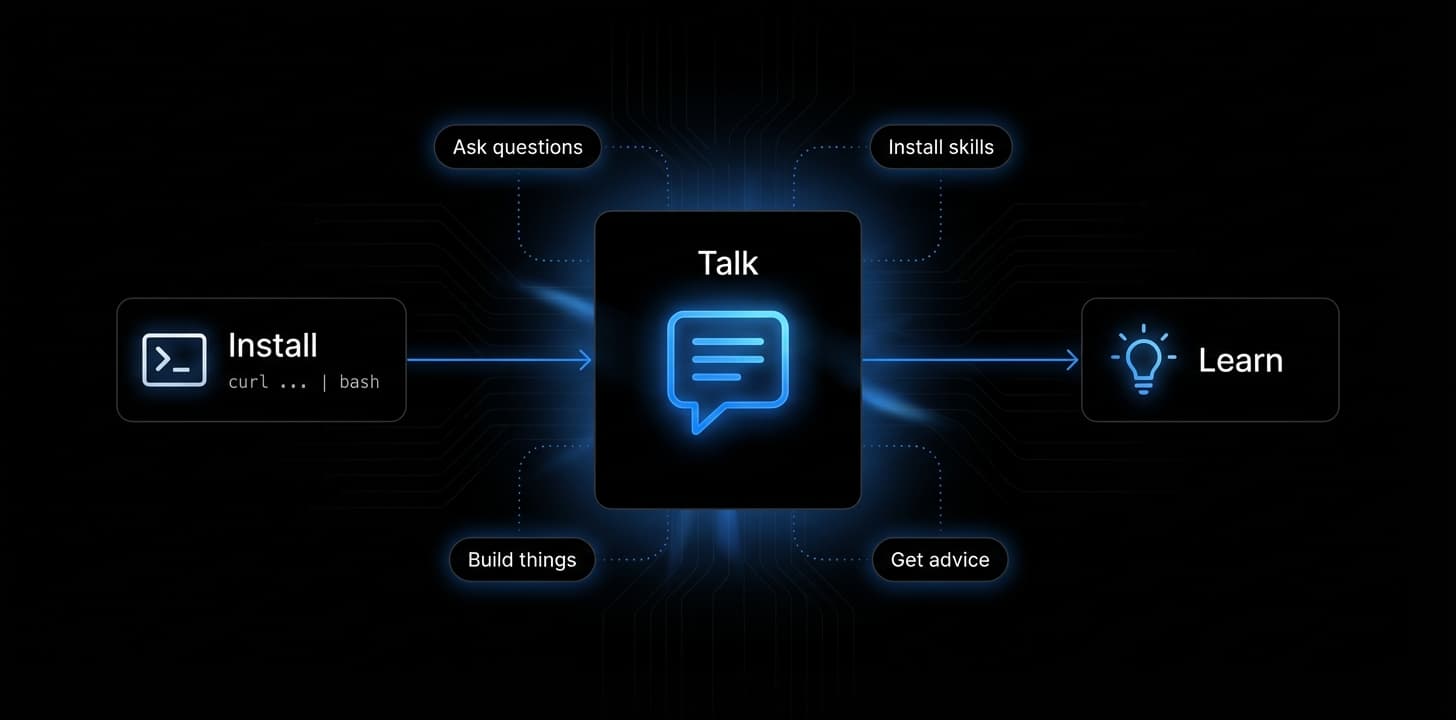
Just install and start talking
There is no manual to read. No course to complete. Run the install command, open your project folder, type 'claude', and start describing what you want to build. That's the entire onboarding.
Ask anything you don't understand
See an error you don't recognize? Ask Claude to explain it. Don't know what a 'component' is? Ask. Don't know how to deploy? Ask. Claude Code has full context of your project and will explain in plain language.
Install skills by pasting a GitHub link
Found a marketing skill on GitHub? Just paste the link and say 'install this skill'. Claude Code will clone it, set it up, and explain what it does. No terminal expertise required.
Learning happens by doing, not reading
The learning curve starts the moment you start working. There is no textbook that will teach you better than building something real, breaking it, asking why, and fixing it together with Claude.
Real conversations with Claude Code
When something breaks
$ What does this error mean?
Adding new capabilities
$ Install this skill from github.com/...
When you're ready to ship
$ How do I deploy this to production?
Building new features
$ Build me a pricing page with a toggle
Understanding your project
$ Explain what this code does
Debugging problems
$ Why isn't the form submitting?
Try a Prompt
Pick a marketing task and watch Claude Code build it in real time. This is what agentic coding looks like.
What You Can Build
Real projects that marketers ship with Claude Code. Not templates — fully custom tools built to your exact spec.
A/B Test Landing Pages
Build variant pages with analytics tracking, heatmaps, and conversion events baked in.
$ claude "Build two landing page variants with PostHog A/B tracking"ROI Calculators
Interactive calculators that capture leads while delivering value. Custom formulas, PDF export.
$ claude "Create an ROI calculator with email gate and PDF download"Programmatic SEO Pages
Generate hundreds of SEO-optimized pages from a data source. Schema markup included.
$ claude "Generate 200 city pages from this CSV with schema markup"Email Automation Tools
Custom drip sequences, behavioral triggers, and personalization engines.
$ claude "Build a drip email system with Resend and Supabase"Analytics Dashboards
Custom dashboards pulling from GA4, Stripe, and your own APIs. Real-time charts.
$ claude "Create a marketing dashboard with revenue and traffic charts"Full SaaS Products
Complete web applications with auth, payments, and databases. Ship a product, not a prototype.
$ claude "Build a SaaS with Supabase auth, Stripe billing, and a dashboard"Marketing Superpowers
Skills are packaged workflows that give Claude Code deep marketing expertise. Type /skill-name and get expert-level output instantly.
Conversion Optimization
Turn visitors into customers with data-driven CRO skills
/page-cro | Optimize any marketing page for conversions |
/signup-flow-cro | Improve registration and account creation flows |
/onboarding-cro | Enhance post-signup activation and time-to-value |
/form-cro | Optimize lead capture and contact forms |
/popup-cro | Create and refine modals, overlays, and banners |
/paywall-upgrade-cro | Design in-app paywalls and upsell moments |
SEO & AI Discovery
Rank in traditional and AI-powered search engines
/seo-audit | Technical and on-page SEO auditing |
/ai-seo | Optimize for AI search (ChatGPT, Perplexity, Gemini) |
/programmatic-seo | Generate SEO-driven pages at scale |
/site-architecture | Plan website hierarchy and navigation |
/schema-markup | Implement structured data and JSON-LD |
/competitor-alternatives | Create comparison and alternative pages |
Content & Copywriting
Write, edit, and ship marketing content at speed
/copywriting | Landing pages, CTAs, and value propositions |
/copy-editing | Edit and refresh existing marketing content |
/cold-email | B2B cold outreach sequences that convert |
/email-sequence | Automated drip campaigns and lifecycle flows |
/social-content | LinkedIn, Twitter/X, and Instagram content |
Paid Advertising
Launch and optimize ads across every platform
/paid-ads | Google, Meta, and LinkedIn campaign management |
/ad-creative | Generate and iterate ad headlines and descriptions |
/analytics-tracking | GA4, GTM, event tracking, and UTM setup |
/ab-test-setup | Design A/B tests and experimentation frameworks |
Growth & Retention
Acquire, activate, and retain users systematically
/launch-strategy | Product launches, Product Hunt, go-to-market |
/referral-program | Affiliate, referral, and word-of-mouth programs |
/churn-prevention | Save offers, dunning, and recovery flows |
/free-tool-strategy | Build marketing tools for lead generation |
/pricing-strategy | Pricing, freemium, and packaging decisions |
Sales & RevOps
Bridge marketing and sales with automation
/revops | Lead scoring, routing, pipeline, CRM automation |
/sales-enablement | Pitch decks, one-pagers, objection handling |
/product-marketing-context | Positioning, ICP, messaging frameworks |
/marketing-psychology | Behavioral science applied to messaging |
/marketing-ideas | 140+ SaaS marketing tactics and playbooks |
40+ skills available across 6 categories. All open-source and community-driven.
AI Agent Army
Specialized AI agents for every department. From marketing to engineering, each agent brings deep domain expertise to Claude Code.
Growth Hacker
Rapid user acquisition and viral loops
SEO Specialist
Technical SEO and link building
AI Citation Strategist
AEO/GEO and AI recommendation visibility
LinkedIn Content Creator
Professional branding and B2B content
Content Creator
Multi-platform content and editorial calendars
Social Media Strategist
Cross-platform campaigns
Beyond Solo Agents
For complex marketing systems, one agent isn't enough. Orchestrators coordinate multiple AI agents working in parallel — research, write, design, and deploy simultaneously.
Claude Code + Sub-Agents
Claude Code can spawn sub-agents that work in parallel — one researches, another writes code, a third runs tests. All coordinated from your terminal.
- Parallel task execution
- Git worktree isolation
- Automatic context sharing
- Built into Claude Code natively
claude -w feature-branch "Build the auth flow"Multi-Agent Orchestrators
For complex projects, orchestrators like OpenClaw coordinate multiple AI models — assigning specialized tasks to different agents, managing dependencies, and merging results.
- Multiple AI models working together
- Task decomposition & routing
- Parallel agent execution
- Cross-agent communication
# Research agent -> Writer agent -> Editor agent -> PublisherNapkin AI
Transform text and ideas into visual diagrams, flowcharts, and infographics instantly. Perfect for turning marketing strategies into shareable visuals.
- Text-to-diagram generation
- Marketing flowcharts
- Architecture visualizations
- Presentation-ready exports
# Paste your strategy -> Get a visual diagram in secondsBefore & After Claude Code
Same marketing tasks. Radically different timelines, costs, and who does the work.
| Task | Before (Time / Cost) | After with Claude Code |
|---|---|---|
| Build an A/B test landing page | 2 weeks · $2,000+ Hire a dev or wait for eng team | 45 minutes · $20/mo You, in your terminal |
| Create an ROI calculator | 1 week · $1,500+ Frontend developer + designer | 30 minutes · $20/mo You, describing what you need |
| Set up email automation | 3-5 days · $500+ Marketing ops + dev support | 1 hour · $20/mo You, with Resend + Supabase |
| Generate 200 SEO pages | 2-4 weeks · $3,000+ SEO team + developer | 2 hours · $20/mo You, with a CSV file |
Your Learning Path
From “what is a terminal?” to shipping production software. A marketer's journey to becoming a growth engineer.
Install & Explore
Day 1Install Claude Code, open your first terminal session, and ask it to explain a codebase.
Build Your First Page
Day 2-3Create a simple landing page or marketing tool. Learn how Claude reads, edits, and creates files.
Add Integrations
Week 1Connect APIs: Stripe for payments, analytics tracking, email services, and databases.
Ship to Production
Week 1-2Deploy with Vercel, set up a custom domain, and launch your first project to the world.
Level Up with Skills
Week 2-3Install marketing skills for CRO, SEO, email, and ads. Let Claude Code become your marketing co-pilot.
Become a Growth Engineer
Month 1+Build complex SaaS tools, automate workflows, create data pipelines. You're not just a marketer anymore.
Open-Source Resources
Community-driven repositories packed with marketing skills, agents, and playbooks. Star them, fork them, make them yours.
agency-agents
125+ specialized AI agents across 13 divisions — marketing, sales, engineering, design, and more.
marketingskills
40 Claude Code skills for marketers — CRO, SEO, copywriting, paid ads, email, and growth.
Marketing-for-Founders
Curated marketing playbooks for founders — launch strategy, cold email, SEO, pricing, and CRO.
Frequently Asked Questions
Everything you need to know about Claude Code and agentic coding for marketers.
Claude Code is an agentic AI coding tool by Anthropic that runs in your terminal. Unlike ChatGPT which shows code snippets in a chat window for you to copy-paste, Claude Code directly creates and edits files in your project, runs terminal commands, installs dependencies, manages git commits, and deploys to production. It has full access to your filesystem and works as a real development partner.
Agentic coding is a new paradigm where an AI agent autonomously writes, edits, tests, and deploys code based on natural language instructions. Unlike traditional AI assistants that only suggest code, agentic coding tools like Claude Code take direct action — they create files, run commands, fix errors, and ship software. The human describes what they want, the agent builds it.
No. Claude Code is designed to be used by anyone who can describe what they want in plain English. You do not need to know any programming language, framework, or terminal commands. The learning curve starts when you start using it — there is no manual to study first. If you can write a clear brief for a freelance developer, you can use Claude Code.
On macOS or Linux, run: curl -fsSL https://claude.ai/install.sh | bash. On Windows PowerShell, run: irm https://claude.ai/install.ps1 | iex. Alternatively, on Windows you can use: winget install Anthropic.ClaudeCode. Installation takes about 30 seconds and the tool auto-updates. System requirements: macOS 13+, Ubuntu 20.04+, Windows 10+, 4GB RAM.
Marketers use Claude Code to build A/B test landing pages with analytics tracking, ROI calculators with email gates and PDF export, programmatic SEO pages at scale from CSV data, email automation tools with behavioral triggers, analytics dashboards pulling from GA4 and Stripe APIs, and complete SaaS products with authentication, payments, and databases. Tasks that previously required hiring a developer for weeks can be done in hours.
Skills are packaged workflows that give Claude Code deep expertise in specific marketing domains. There are 40+ marketing skills available across 6 categories: Conversion Optimization (page-cro, signup-flow-cro, form-cro), SEO & AI Discovery (seo-audit, ai-seo, programmatic-seo), Content & Copywriting (copywriting, email-sequence, cold-email), Paid Advertising (paid-ads, ad-creative, analytics-tracking), Growth & Retention (launch-strategy, referral-program, pricing-strategy), and Sales & RevOps (revops, sales-enablement). You install skills by pasting a GitHub link.
Claude Code requires a Claude Pro subscription at $20 per month. This gives you unlimited access to the agentic coding experience including file editing, terminal commands, web search, git operations, and deployment capabilities. There are no additional fees for using skills or agents.
A growth engineer is a marketer who can build software tools and automations to drive growth. Unlike traditional marketers who rely on third-party tools, growth engineers create custom solutions — landing pages, calculators, SEO page generators, email automations, and analytics dashboards — using agentic AI coding tools like Claude Code. It is the evolution from 'I need a developer' to 'I can build it myself'.